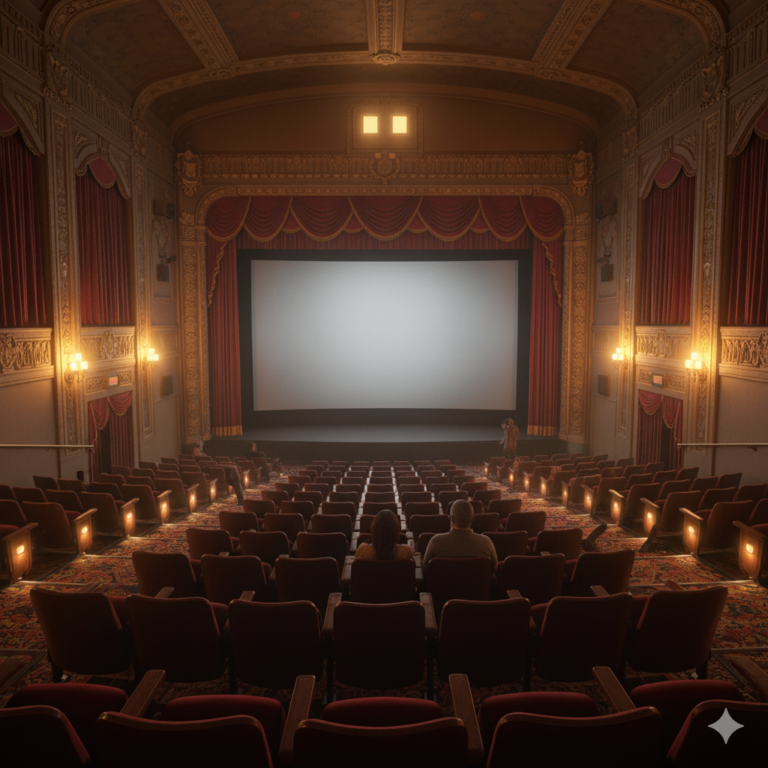
Learning how to run virtual movie nights that finish on time has become an essential skill for anyone who wants to maintain meaningful connections with friends, family, or colleagues scattered across different locations. The shift toward remote socializing has made synchronized movie watching a popular activity, but without proper planning, these events frequently spiral into disorganized affairs that drag on well past comfortable hours. A movie night that was supposed to end at 10 PM can easily stretch to midnight when technical difficulties, late arrivals, and unstructured intermissions eat into the schedule. The challenges are real and familiar to anyone who has attempted to coordinate a group viewing session online. Someone inevitably has trouble with their streaming platform. Another person joins twenty minutes late and wants the group to restart.
The post-movie discussion meanders without direction, and suddenly participants in earlier time zones are struggling to stay awake. These friction points can transform what should be an enjoyable shared experience into a frustrating exercise in herding cats. The result is often that people simply stop attending future movie nights, or the tradition fades away entirely. This guide addresses every major pain point in organizing virtual movie watch parties that respect everyone’s time while still delivering the communal experience that makes movie nights worthwhile. By the end, readers will understand how to select appropriate films, manage technical synchronization, establish clear time boundaries, and facilitate discussions that enhance rather than extend the evening. The strategies here apply whether coordinating with three close friends or twenty coworkers, and whether spanning two time zones or ten.
Table of Contents
- Why Do Virtual Movie Nights Run Over Schedule and How Can You Prevent It?
- Selecting Films with Runtime in Mind for Time-Conscious Movie Nights
- Technical Setup Strategies for Synchronized Virtual Viewing
- Creating a Timed Schedule for Your Virtual Movie Watch Party
- Managing Discussion Time Without Letting Conversations Run Long
- Handling Time Zone Differences in Scheduled Movie Nights
- How to Prepare
- How to Apply This
- Expert Tips
- Conclusion
- Frequently Asked Questions
Why Do Virtual Movie Nights Run Over Schedule and How Can You Prevent It?
Virtual movie nights run over schedule for predictable reasons that, once identified, become manageable. The primary culprit is the lack of physical cues that naturally regulate in-person gatherings. When everyone sits in the same room, the host can read body language, notice people checking their watches, and physically start the film by pressing play. Online, these signals vanish. A host might wait for verbal confirmation that everyone is ready, leading to circular conversations where each person defers to others, consuming ten or fifteen minutes before the movie even begins. Technical synchronization presents another major time drain. Unlike gathering around a single television, virtual movie nights require every participant to independently load and play content at precisely the same moment.
Platform differences, varying internet speeds, and buffering issues mean that what should take thirty seconds can balloon into a twenty-minute troubleshooting session. Some participants may not have accounts for the chosen streaming service, others might be watching on devices with different playback controls, and still others may accidentally start the wrong version of the film. Prevention starts with acknowledging these realities and building structure around them. Successful virtual movie night hosts treat the event more like a scheduled meeting than a casual hangout. They communicate clear start times for both the gathering and the actual film playback, often with fifteen to thirty minutes of buffer for socializing and technical setup. They establish the streaming platform and specific film version in advance, verify that all participants have access, and designate someone to provide a verbal countdown for synchronized play. This framework eliminates the ambiguity that allows time to slip away.

Selecting Films with Runtime in Mind for Time-Conscious Movie Nights
Film selection directly impacts whether a movie night finishes on time, yet hosts frequently overlook runtime as a selection criterion. The average Hollywood film runs between 90 and 150 minutes, but that range represents a full hour of difference. Choosing a 95-minute comedy versus a 178-minute epic drama fundamentally changes the structure of the evening. When participants have work the next morning or children to care for, that extra hour can mean the difference between a sustainable recurring tradition and a one-time experiment. Consider the total time envelope available rather than just the film’s runtime. If participants can realistically commit from 7:30 PM to 10:30 PM, that three-hour window must accommodate initial socializing and technical setup, the film itself, and any post-movie discussion.
A 150-minute film in that window leaves only 30 minutes for everything else, which proves insufficient when someone inevitably joins late or experiences buffering. A 100-minute film, by contrast, provides a comfortable 80 minutes of flexibility that absorbs these disruptions without pushing the end time. Genre considerations matter beyond runtime. Horror films and thrillers tend toward tighter editing and shorter runtimes, frequently landing under two hours. Prestige dramas and superhero films increasingly trend toward bloated runtimes, with many exceeding 150 minutes. Animated features from major studios reliably clock in between 85 and 105 minutes, making them excellent choices for time-conscious gatherings. When the group cannot agree on a specific title, establishing a runtime cap as a selection criterion eliminates longer options from consideration and focuses the debate on films that fit the available time.
Technical Setup Strategies for Synchronized Virtual Viewing
The technical infrastructure of a virtual movie night determines how smoothly the event runs and how much time gets lost to troubleshooting. three main approaches exist for synchronizing playback: dedicated watch party platforms, screen sharing through video conferencing, and manual countdown synchronization. Each carries distinct advantages and limitations that hosts should understand before committing to a method. Dedicated watch party platforms like Teleparty, Scener, Watch2Gether, and Amazon Prime Video’s Watch Party feature handle synchronization automatically. When one participant pauses, everyone pauses. When someone seeks to a different timestamp, all viewers jump to the same point. This automation eliminates the most common synchronization headaches and allows participants to pause for bathroom breaks without complex coordination.
The limitation is that these platforms typically require all participants to have their own subscription to the underlying streaming service and to install browser extensions or apps. Compatibility varies across devices, with mobile and smart TV support often lacking. Screen sharing through Zoom, Discord, or similar platforms offers an alternative that requires only one person to have streaming access. The host shares their screen and audio, and participants watch the shared feed. This approach simplifies access requirements but introduces quality degradation, audio sync issues, and the constraint that only the host can control playback. Manual countdown synchronization represents the simplest technical approach: everyone loads the same content independently, and the host counts down to a synchronized play moment. This method works across any platform combination but requires disciplined participants who resist the temptation to pause or seek independently during playback.

Creating a Timed Schedule for Your Virtual Movie Watch Party
A written schedule transforms a vague social plan into a structured event that respects boundaries. The schedule need not be rigid or formal, but it should establish clear expectations for when each phase of the evening begins and ends. Communicating this schedule in advance allows participants to plan their own evenings accordingly and reduces the social friction of ending the event when the designated time arrives. An effective virtual movie watch party schedule might allocate the first fifteen minutes for arrivals and casual conversation while technical setup happens in parallel. This period has an explicit end time after which the movie begins regardless of who has or has not joined. The film occupies its runtime plus a small buffer for any mid-movie technical issues.
Following the film, fifteen to thirty minutes accommodates initial reactions and discussion, with a clearly stated hard stop that everyone knows from the beginning. When 10:00 PM arrives and that is the designated end time, participants can leave without guilt or explanation. Communicate the schedule through whatever channel the group uses to coordinate, whether a group chat, calendar invitation, or email. Include the film title, runtime, streaming platform, technical requirements, the social start time, the film start time, and the event end time. Reiterate these times verbally at the beginning of the gathering. This repetition is not nagging but rather reassurance that everyone shares the same expectations. When the schedule exists in writing and has been verbally confirmed, enforcing it becomes a neutral act of following the plan rather than a host unilaterally cutting off socializing.
Managing Discussion Time Without Letting Conversations Run Long
Post-movie discussion represents the most difficult phase to time-manage because it lacks the natural structure that the film itself provides. Once the credits roll, conversation can meander indefinitely through tangents, debates, and personal anecdotes only loosely connected to the film. This social element is valuable and often the primary reason people attend movie nights, but without boundaries, it consumes the time buffer meant to keep the overall event on schedule. Structured discussion prompts help focus conversation and ensure everyone who wants to speak gets the opportunity within the allotted time. Rather than opening with a vague question about what people thought, a host might ask each participant to share one specific moment that stood out to them, limiting responses to a minute or two each. Subsequent prompts can address themes, performances, or comparisons to other films, with each round having an implicit time boundary.
This structure prevents one or two vocal participants from dominating the discussion while others wait silently for an opening that never comes. Setting a visible timer during discussion, shared on screen or simply announced verbally, creates gentle pressure to keep contributions concise. When participants know that discussion ends in fifteen minutes, they self-edit their remarks and prioritize their most important observations. The host can offer a five-minute warning before the scheduled end, giving participants a final opportunity to share thoughts. At the designated time, the host thanks everyone and officially closes the event. Those who wish to continue talking can do so, but those who need to leave have clear permission to sign off without awkwardness.

Handling Time Zone Differences in Scheduled Movie Nights
Time zone coordination adds complexity to virtual movie nights but need not derail punctuality if handled thoughtfully. The key principle is selecting a time that falls within reasonable evening hours for all participants, which often means that someone watches earlier or later than their ideal preference. When participants span more than four or five time zones, finding a mutually acceptable window becomes difficult, and the group may need to accept that not everyone can attend every movie night. Rotate the favored time zone across multiple movie nights to share the inconvenience equitably. If one event starts at 7 PM Eastern, making it 4 PM Pacific and 10 PM London, the next event might favor Pacific time with a start that gives London participants a mid-afternoon viewing and Eastern participants a later evening.
This rotation demonstrates consideration for all participants rather than consistently privileging those in one location. It also naturally limits event length for those watching late at night, as participants in later time zones have obvious reasons to end on time. Always communicate times in multiple formats to prevent confusion. List the start time in at least two or three relevant time zones, or use a universal reference like UTC alongside local times. Calendar invitations that automatically adjust to each recipient’s time zone prevent the arithmetic errors that lead to someone joining an hour early or missing the event entirely. Confirming attendance a day before the event allows the host to verify that everyone understands when they need to be present.
How to Prepare
- **Select the film and verify access one week in advance.** Confirm that all participants can access the chosen streaming platform and that the specific film is available in their region. Licensing varies by country, and a film available on Netflix in the United States might be on a different platform elsewhere. Resolve access issues before the day of the event, not during it.
- **Send detailed event information three to five days before.** Include the film title, runtime, streaming platform, any required browser extensions or apps, the social start time, the film start time, and the firm end time. Mention any technical requirements like headphones or minimum internet speeds.
- **Test the synchronization method the day before.** If using a watch party extension, verify it works with the current browser version and streaming platform interface. If screen sharing, confirm that audio sharing functions correctly. If using manual countdown, prepare the verbal countdown script and ensure the correct video version is bookmarked.
- **Prepare discussion prompts in advance.** Write three to five specific questions about the film that can structure post-movie conversation. These prompts prevent the awkward silence that follows an open-ended question about what people thought and keep discussion focused rather than meandering.
- **Set up your own viewing environment thirty minutes early.** Handle your own technical setup, snack preparation, and any household logistics before other participants begin joining. A host who is still troubleshooting their own setup when guests arrive cannot manage the group effectively.
How to Apply This
- **Open the virtual gathering at the designated social start time and greet participants as they join.** Use this period for casual conversation while monitoring that everyone is completing their technical setup. Verbally confirm the film start time and event end time with the group.
- **Begin the film at the scheduled time regardless of late arrivals.** Announce that you are starting in sixty seconds, provide a countdown, and initiate synchronized playback. Late arrivals can catch up or join in progress rather than delaying the entire group.
- **Transition immediately into structured discussion when the credits begin.** Thank everyone for watching, announce how much time remains before the event ends, and pose your first discussion prompt. Keep energy moving forward rather than allowing silence to develop.
- **Close the event at the scheduled end time with a clear verbal conclusion.** Thank participants, mention when the next movie night might occur if there is a recurring schedule, and give explicit permission for everyone to leave. Those who wish to continue socializing can remain, but the official event has ended.
Expert Tips
- **Build fifteen minutes of buffer into your schedule that you do not announce to participants.** If you need the event to end at 10:00 PM, plan internally for 9:45 PM. This invisible buffer absorbs small delays without pushing past the real deadline.
- **Designate a co-host responsible for monitoring technical issues during playback.** This person watches the chat for reports of buffering or sync problems and addresses them without interrupting the film for everyone else.
- **Establish a policy on pausing before the film begins.** Decide whether the group will pause for individual bathroom breaks or keep playing, and communicate this policy clearly. Ambiguity about pausing leads to multiple disruptions and accumulated delays.
- **Use a film selection rotation system where each participant chooses for one movie night.** The chooser becomes responsible for verifying access, preparing discussion questions, and keeping their selection within runtime limits. This distributes labor and investment across the group.
- **Send a one-hour reminder on the day of the event.** A brief message confirming the start time and asking participants to complete technical setup before joining helps ensure everyone arrives ready rather than needing extensive preparation time.
Conclusion
Running virtual movie nights that finish on time requires treating the event as a structured gathering rather than an open-ended hangout. The strategies outlined here address the specific failure points that cause most movie nights to run long: technical synchronization problems, unclear start times, film selections that exceed available time, and discussions that wander without boundaries. Implementing even a few of these approaches significantly improves the experience for all participants and makes movie nights sustainable as a recurring tradition rather than an occasional exhausting effort. The payoff extends beyond simple punctuality.
When participants trust that the event will end on time, they attend more willingly and engage more fully during the time available. They do not hold back enthusiasm or limit their participation because they fear being trapped in an event that stretches indefinitely. A well-run virtual movie night respects everyone’s time while still delivering the shared experience and social connection that motivates people to watch films together rather than alone. Start with the next movie night on the calendar and apply these principles one element at a time until the group establishes habits that make punctual, enjoyable gatherings the default rather than the exception.
Frequently Asked Questions
How long does it typically take to see results?
Results vary depending on individual circumstances, but most people begin to see meaningful progress within 4-8 weeks of consistent effort.
Is this approach suitable for beginners?
Yes, this approach works well for beginners when implemented gradually. Starting with the fundamentals leads to better long-term results.
What are the most common mistakes to avoid?
The most common mistakes include rushing the process, skipping foundational steps, and failing to track progress.
How can I measure my progress effectively?
Set specific, measurable goals at the outset and track relevant metrics regularly. Keep a journal to document your journey.